KDE Gear 25.12.1 just dropped, bringing a wave of bug fixes and tweaks that make everyday Linux tools smoother and more reliable. This update hits right after the major 25.12 release, fixing crashes and boosting performance in apps like Dolphin and Kdenlive. Curious about how it upgrades your setup? Read on for the details that could change your daily workflow.
What’s Fresh in KDE Gear 25.12.1
The KDE community rolled out Gear 25.12.1 on January 8, 2026, as a quick follow-up to last month’s big update. This patch focuses on stability, squashing bugs that popped up in popular apps. Users of KDE Plasma desktops will notice the changes most, but anyone running these tools on Linux or even Windows can benefit.
Developers fixed issues in over 180 apps and services. For instance, the Dolphin file manager now handles old session files better, letting users migrate smoothly without losing data. This stops frustrating errors that blocked some from opening their saved views.
KDE Connect, the app that links your phone to your computer, got tweaks too. It now stores device capabilities properly and fixes Bluetooth setup problems. These changes mean fewer headaches when mirroring notifications or sharing files between devices.
Top App Improvements That Matter
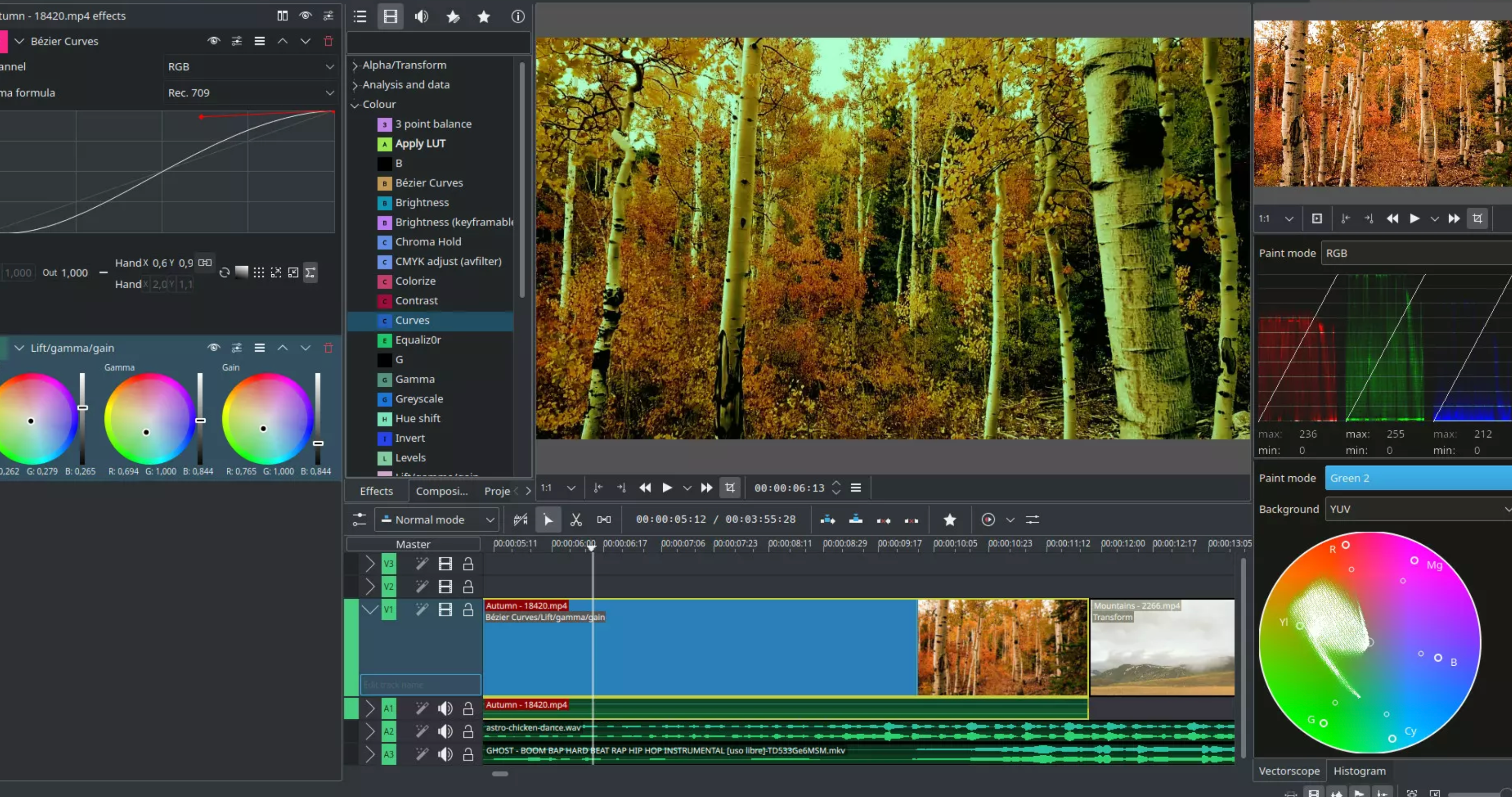
Dive deeper, and you’ll see targeted fixes for creative and productivity tools. Kdenlive, the video editor loved by hobbyists and pros, stands out with major stability boosts.
Copying and pasting clips in Kdenlive now keeps keyframes intact and respects if the original was disabled. This saves time for editors who juggle complex projects. Plus, the app won’t crash anymore when you toggle the audio monitor or copy effects.
The file manager in Kdenlive opens faster now, cutting down wait times during edits. If you work with travel plans, Kitinerary improved too. It better handles Booking.com emails in Italian and pulls more accurate data for Deutsche Bahn trains in Germany.
KMail, the email client, fixed several crashes, including one that hit when quitting from the system tray. These updates make it a more dependable choice for managing your inbox without sudden shutdowns.
Here’s a quick look at some key fixes:
- Dolphin: Better thumbnail previews and sidebar navigation for quicker file browsing.
- Kate: Fixed a tree view crash in the project plugin, helping coders stay productive.
- Konsole: Improved terminal performance with fewer glitches in long sessions.
How This Update Fits the Bigger Picture
KDE Gear has grown into a powerhouse since its early days, bundling apps that enhance the Plasma desktop experience. The 25.12 series, released in December 2025, added features like better travel itinerary support in apps such as Itinerary.
This .1 update builds on that by addressing user feedback. For example, data from KDE’s bug tracker shows over 50 reports fixed in this release alone, based on community input from the past month.
Stats from sites like Phoronix highlight that KDE apps run on millions of systems worldwide. A 2025 survey by Linux Journal noted that 40% of Linux users rely on Dolphin daily, making these fixes a big deal for efficiency.
It also ties into broader trends in open-source software. With more people switching to Linux for privacy and customization, updates like this keep KDE competitive against rivals like GNOME.
| App | Key Fix | User Impact |
|---|---|---|
| Dolphin | Session file migration | Easier setup for longtime users |
| Kdenlive | Crash on audio toggle | Smoother video editing |
| KMail | System tray quit fix | Reliable email handling |
| Kitinerary | Better European travel data | Accurate trip planning |
Why Users Are Buzzing About It
Early adopters are already sharing their thoughts online. Posts on platforms like X praise the quick fixes, with one user noting how Dolphin’s faster thumbnails speed up photo management.
This release shows KDE’s commitment to rapid improvements. Unlike some software that drags on updates, KDE pushes quarterly Gear releases, keeping things fresh.
For everyday users, it means less downtime. Imagine editing a video for work, only to have the app crash mid-project. These fixes prevent that, saving hours of frustration.
Developers encourage checking the full patch notes on the KDE site for app-specific changes. If you use tools like Spectacle for screenshots or Elisa for music, you’ll find refinements there too.
In a world where software bugs can disrupt your day, KDE Gear 25.12.1 steps up as a timely hero. It refines the tools millions rely on, from file management to creative work, ensuring a smoother ride on Linux systems. As open-source tech evolves, updates like this remind us why communities like KDE thrive, delivering real value without the corporate strings. What do you think of these changes? Have they fixed a pet peeve in your favorite app? Share your thoughts in the comments and spread the word with friends on social media to keep the conversation going.